Home Weather Stations for Backyard Rain, Wind and Temperature Tracking
A backyard weather station can answer questions a regional forecast cannot: did rain actually reach the garden, how strong was the gust near the house, and is the temperature dropping at the patio? But buying one requires more than counting measurements on the box. Some products are simple indoor-outdoor thermometers, while others include wind sensors, rain gauges, wireless consoles, and online dashboards. Installation location often matters as much as the hardware: a temperature sensor beside sun-warmed siding can mislead, and a rain collector under tree branches misses rainfall. This guide explains how to choose the right type of station, which features deserve attention, and how to avoid common setup mistakes. We distinguish sensor-equipped weather stations from display-only forecast clocks so readers can compare useful capabilities instead of relying on promotional labels.
How We Selected What Matters
We compared published manufacturer documentation and independent reporting to identify meaningful differences among personal weather instruments: sensor coverage, outdoor siting, local display versus online access, expansion compatibility, maintenance and ownership costs. This is a research-based buying guide, not a claim that we field-tested instruments. We distinguish observations made by sensors from internet-delivered forecasts and do not infer measurement accuracy from a product’s feature count. For instrument siting, we refer readers to National Weather Service guidance; for exact accessories and network requirements, the manufacturer’s current manual takes precedence.
Quick Picks
- Ambient Weather WS-2902C — Everyday backyard monitoring with a single outdoor sensor array.
- Ambient Weather WS-2000 — Enthusiasts wanting a detailed color display and sensor expansion.
- Ambient Weather WS-1965 — Core wind and rainfall tracking without paying for every advanced metric.
- Ecowitt Wittboy GW2001BU — Data-oriented users who prefer an online hub rather than a large display.
- La Crosse Technology V42-PRO-INT — Families who want local weather measurements beside a forecast.
Compare Ten Home Weather Stations
| Model & Photo | Best Fit | Key Difference | Amazon |
|---|---|---|---|
 1. Ambient Weather WS-2902C |
Everyday backyard monitoring with a single outdoor sensor array | Wind, rain, UV and solar monitoring | Check the latest price on Amazon |
 2. Ambient Weather WS-2000 |
Enthusiasts wanting a detailed color display and sensor expansion | TFT display and optional extra sensors | Check the latest price on Amazon |
 3. Ambient Weather WS-1965 |
Core wind and rainfall tracking without paying for every advanced metric | Core sensors with a color screen | Check the latest price on Amazon |
 4. AcuRite Iris 01512M |
Families that prefer a straightforward local five-in-one station | Five-in-one outdoor sensor and display | Check the latest price on Amazon |
 5. AcuRite Iris 01536M |
People who want a weather ticker and customizable on-screen alarms | Weather ticker with wind/rain trends | Check the latest price on Amazon |
 6. Ecowitt Wittboy GW2001BU |
Data-oriented users who prefer an online hub rather than a large display | WS90 seven-in-one unit with GW2000 hub | Check the latest price on Amazon |
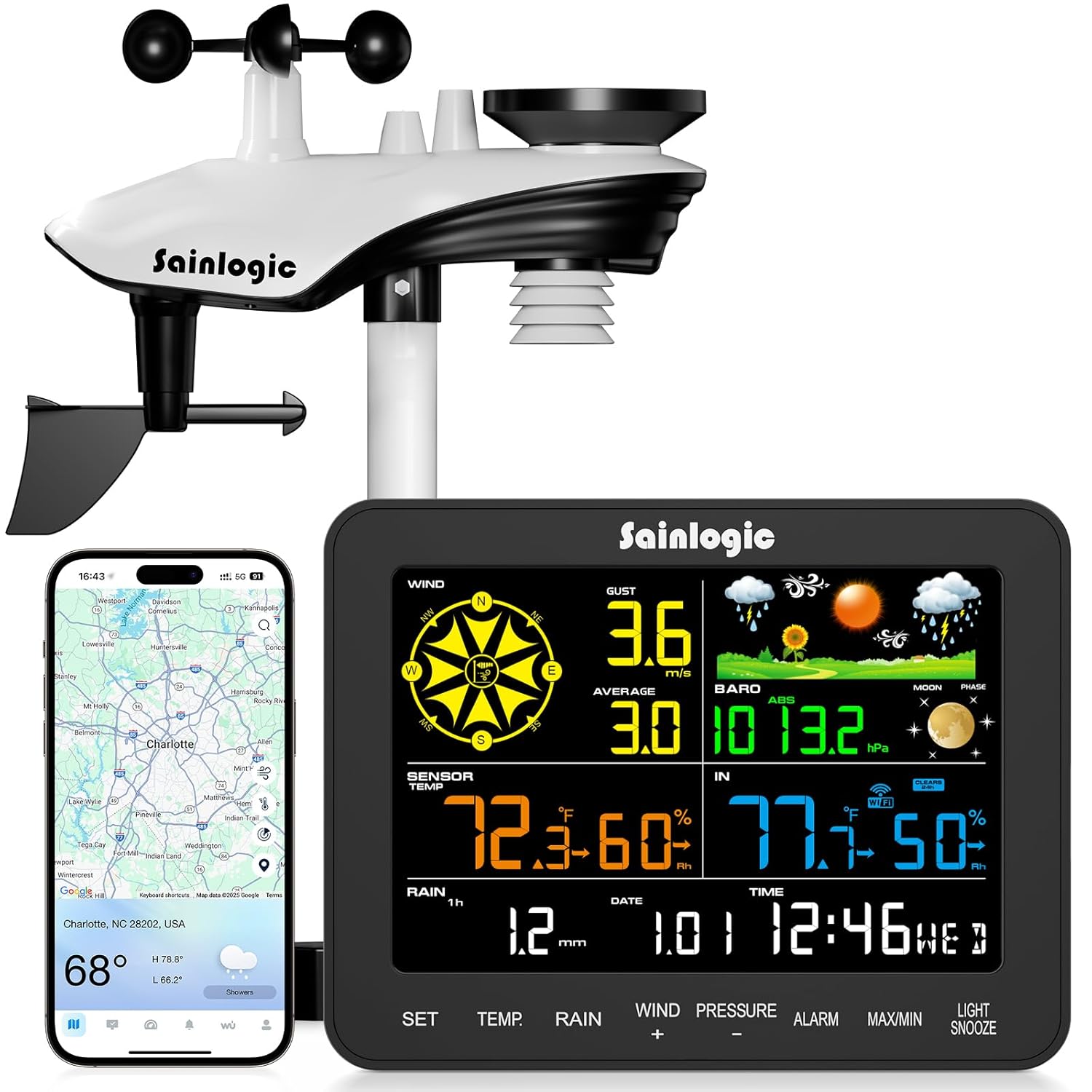 7. Sainlogic SA6 Plus |
Beginners who want a medium-size screen and cloud weather alerts | 6.5-inch display and 2.4 GHz Wi-Fi | Check the latest price on Amazon |
 8. Sainlogic SA9 |
Households that prioritize a large display and weather history | 8.5-inch display with connected forecasts | Check the latest price on Amazon |
 9. Sainlogic SA9 Plus |
Owners who need the SA9 Plus bundle with an indoor sensor | Additional indoor sensor and 2.4 GHz configuration | Check the latest price on Amazon |
 10. La Crosse Technology V42-PRO-INT |
Families who want local weather measurements beside a forecast | Color forecasts alongside rain and wind sensors | Check the latest price on Amazon |
Ten Weather Station Reviews
1. Ambient Weather WS-2902C
Best for: Everyday backyard monitoring with a single outdoor sensor array.
The outdoor Osprey array measures local wind, rainfall, temperature, humidity, ultraviolet exposure and solar radiation. A color indoor console makes those readings easy to check without launching an app. The optional network connection lets interested owners review changes away from the house.
The strongest reason to choose this model is its balanced range of sensors, not that its forecast will always beat a regional service. You still need a position open to airflow and precipitation, and you should avoid mounting near hot siding. Wind and temperature sensors ideally occupy different heights, so any shared mount is a compromise. Check the specific included bracket, wireless reception and Wi-Fi configuration before installing.
Source: Product documentation.
2. Ambient Weather WS-2000
Best for: Enthusiasts wanting a detailed color display and sensor expansion.
The WS-2000 uses an integrated outdoor array for wind, rain, temperature, humidity and sunlight measurements, but places particular emphasis on its high-definition TFT indoor display. It also belongs to a system that supports selected additional wireless sensors. That is useful when a homeowner wants more than one outdoor temperature location or wants to follow data trends over time.
The more advanced console is worth paying for only if the extra visual information matters to you. Sensor compatibility is model-specific, so check the accessory list before purchasing extras. An outdoor array still needs unobstructed rain collection and a reasonably open wind path. The console also has its own power and indoor-sensor considerations, which differ from the simpler WS-2902C. Set up local readings first; connect online monitoring after the basic sensor link is reliable.
Source: Product documentation.
3. Ambient Weather WS-1965
Best for: Core wind and rainfall tracking without paying for every advanced metric.
The WS-1965 focuses on useful observations such as outdoor temperature, humidity, wind speed, direction and rainfall. It includes a color console and can participate in the manufacturer’s connected-weather ecosystem. For someone who wants to know whether the yard received rain or the afternoon became windy, that feature set may offer more practical value than a model packed with environmental readings they will rarely consult.
Do not assume it has the same UV and solar capability as an Ambient Weather model with more instruments; compare actual sensor lists. The affordable approach does not eliminate installation work: a sheltered array will understate wind, and an obstructed collector will distort rain totals. Regular cleaning, checking outdoor battery status and documenting the sensor location are part of ownership. If you expect to expand into additional measurements later, investigate accessory compatibility before choosing it instead of the WS-2000.
Source: Product documentation.
4. AcuRite Iris 01512M
Best for: Families that prefer a straightforward local five-in-one station.
This AcuRite Iris package combines a five-in-one outdoor sensor with an indoor weather display. It measures temperature, humidity, wind speed, wind direction and rainfall, and the display also presents barometric information. It is a practical choice for checking conditions from the kitchen or hallway and watching the actual rainfall collected on your property instead of estimating it from a nearby city forecast.
The model number on the offered bundle matters. Some Iris packages use different color screens or internet hardware, and sensor-to-console wireless operation is not identical to remote Wi-Fi monitoring. Confirm 01512M rather than relying on a generic Iris photograph. Install the outdoor sensor where leaves cannot settle in the collector and where trees do not block the wind cups. The most useful advantage is the local display, even if remote connectivity is not part of your intended routine.
Source: Product documentation.
5. AcuRite Iris 01536M
Best for: People who want a weather ticker and customizable on-screen alarms.
The 01536M is a version of AcuRite’s Iris weather-center family that combines local temperature and humidity with wind and rainfall information. The display puts extra emphasis on the ongoing stream of weather conditions and trends. This is appealing when you work outside, tend a garden or simply enjoy following pressure and wind changes throughout a day instead of only reading current temperature.
Check the exact package carefully: AcuRite has sold several 01536 and other Iris variations, and the included display and external connectivity are not always the same. An alert presented on a local screen should not be assumed to mean a phone notification without compatible equipment. Rainfall readings depend on a clean, level collector; wind conditions require an open location. If detailed trend information is your main goal, compare how its ticker is presented with the simpler 01512M before deciding.
Source: Product documentation.
6. Ecowitt Wittboy GW2001BU
Best for: Data-oriented users who prefer an online hub rather than a large display.
The Wittboy GW2001BU kit is based on a WS90 seven-in-one outdoor sensor and a GW2000 IoT hub. Its design is particularly appealing if you want to view weather observations through software and connect more sensors later. The WS90 uses a haptic rain sensor instead of the familiar tipping-bucket arrangement. That reduces dependence on a conventional rain collector, while introducing a different approach to rainfall measurement.
Ecowitt explicitly suggests a separate WH40 rain gauge when greater precipitation accuracy is important. Do not assume the package includes a large color console: the hub-first design is materially different from display-first kits. Also choose the correct North American 915 MHz radio-frequency model; different regional frequencies are not interchangeable. Put the outdoor sensor in an open location and confirm a reliable wireless link to the gateway before spending time configuring online services. This is the strongest choice here when extensibility matters more than a decorative screen.
Source: Product documentation.
7. Sainlogic SA6 Plus
Best for: Beginners who want a medium-size screen and cloud weather alerts.
Sainlogic’s SA6 Plus combines a 6.5-inch console with outdoor rain and wind observation and Weatherseed-connected features. The manufacturer specifies 2.4 GHz Wi-Fi, optional app and email alerts, and up to two years of historical records with export. This makes it useful when you would like to compare today’s rainfall with recent events rather than rely on a single number from the latest forecast.
A 5 GHz-only network may not support this specific version; verify your router can supply a 2.4 GHz network during pairing. Weatherseed forecast graphics represent a service forecast, not direct measurements from your yard. The included array still needs a safe, open mounting location and periodic cleaning to keep rainfall data meaningful. If a larger screen or different internet feature set is important, compare the precise SA9 variants instead of assuming the branding alone explains the difference.
Source: Product documentation.
8. Sainlogic SA9
Best for: Households that prioritize a large display and weather history.
The SA9 is designed around a large information-rich indoor display alongside outdoor temperature, wind, rain and sunlight observations. Sainlogic promotes connected forecasting and retained historical weather information, which is helpful when you want to examine how conditions changed over a weekend or gardening season. The large layout also makes it easier to present multiple weather readings on one screen in a frequently used room.
Forecast service predictions and actual sensor measurements should not be treated as identical information. In addition, the SA9 and SA9 Plus are different listings: confirm the exact sensor and network package instead of ordering based on a family photo. The added display area is useful only when its presentation suits the intended viewing distance. Before permanently mounting the outdoor equipment, test reception from the location you plan to use. Keep the rain sensor clean and check any data-export functionality you will depend on.
Source: Product documentation.
9. Sainlogic SA9 Plus
Best for: Owners who need the SA9 Plus bundle with an indoor sensor.
This exact SA9 Plus listing specifies a large LCD console, an outdoor weather instrument, a separate indoor sensor and associated accessories. Compared with a simpler indoor-outdoor thermometer, its appeal lies in seeing several types of weather information together and retaining history through compatible connected functions. The additional indoor sensor is important because packages within the same product family do not always include equivalent room-measurement hardware.
This specific listing should not be confused with Sainlogic’s different SA9 Plus 5G model, which the manufacturer advertises with dual-band Wi-Fi. The 2.4 GHz details for this listed variant should be checked when connecting to a home network. Confirm the delivered components against the model’s documentation and do not interpret forecast graphics as proof of outdoor measurement accuracy. Like other multi-sensor stations, it works best when installed away from reflected heat and sheltered rain areas. Choose it for its precise bundle features rather than for the Plus label alone.
Source: Product documentation.
10. La Crosse Technology V42-PRO-INT
Best for: Families who want local weather measurements beside a forecast.
The La Crosse V42-PRO-INT brings together separate outdoor temperature and humidity, wind and rain measurements with a color indoor display. One of its most useful features is presenting local sensor readings alongside online forecast information. It suits a common family need: understanding what is happening outside now while also seeing a useful indication of the hours ahead without checking several websites or apps.
Recognize the difference between a forecast supplied by a service and rain or wind actually recorded at your property. Wi-Fi-dependent features require a stable network even when sensor communication is otherwise working. Check the exact kit for the included wind, rain and temperature units; some nearby model numbers have different components. Proper exposure is still necessary for a trustworthy comparison with your local forecast. It is a strong candidate for a convenient home weather display when you value both kinds of information.
Source: Product documentation.
How to Choose a Home Weather Station
The right home weather station depends less on how many icons appear on the display and more on what you want to measure, where you can mount the sensors, and how you plan to use the information. A backyard gardener may care most about rainfall totals and frost warnings; someone who enjoys weather tracking may want wind-gust history, charts, alerts, and extra sensors. Use the questions below to compare exact station packages rather than just their product-family names.
1. Choose the measurements you will actually use
Begin with outdoor temperature and relative humidity if your goal is monitoring comfort, frost risk, or conditions around a greenhouse. Add a rain gauge if you want to understand how much precipitation reached your property; look for daily, event, and historical totals rather than only a rain/no-rain indicator. Choose an anemometer and wind-direction sensor when gusts matter for gardening, outdoor activities, or general weather observation. Barometric-pressure trends offer context about changing conditions, while UV and solar-radiation sensors appeal to enthusiasts who want a broader environmental picture. An internet-fed forecast displayed on a console is useful, but it is not a measurement taken by your own backyard equipment.
Be cautious with the labels “5-in-1” or “7-in-1”: brands count sensor functions differently, and two kits with similar labels can offer different hardware. Compare the included sensor list for the exact model, not the number in a marketing headline.
2. Decide between all-in-one and separate sensors
All-in-one outdoor arrays simplify installation and usually reduce the number of mounts, batteries, and radio connections. They are an appealing starting point for typical homeowners. Their drawback is that one spot rarely gives every instrument its ideal exposure. Separate sensors can put a rain collector away from obstructions, a temperature sensor in shaded, ventilated air, and a wind sensor higher in the open. That flexibility can improve the representativeness of the data, but it costs more installation effort and may require a compatible hub or console.
If you plan to add a second temperature probe, soil-moisture sensor, or separate rain gauge, confirm that your exact console or gateway recognizes that accessory. Similar model names, regional wireless frequencies, and successive product generations are not guarantees of compatibility.
3. Plan the mounting location before buying
Sensor placement can affect your readings as much as the station itself. A thermometer on sun-heated siding or near an exhaust vent can report a misleadingly warm temperature. A wind gauge tucked beside a roof or surrounded by trees can miss stronger gusts. A rain collector sheltered by branches can undercount precipitation. Choose a stable mounting point with suitable exposure, a clear path for the wireless signal, and safe access for cleaning and battery replacement. Test reception before drilling permanent brackets.
The National Weather Service’s personal-weather-station resources and Ambient Weather’s installation guidance explain why temperature, wind, and rainfall instruments have different siting needs. Professional observing standards are not always achievable at a house; knowing and documenting your placement compromises is more useful than assuming a high-priced station compensates for poor exposure.
4. Compare rainfall-sensing technology and upkeep
A conventional tipping-bucket rain gauge collects water and counts the tipping of a small internal mechanism. It can provide useful rainfall totals, but leaves, insects, an unlevel installation, or dirt can interfere with collection. Some stations instead use a haptic or piezoelectric rain sensor, which responds to impacts on a sensing surface rather than collecting water in the same way. The designs have different calibration and operating tradeoffs; neither should be assumed universally more accurate just because it is newer.
If rainfall is your primary reason for buying, read the model’s calibration and maintenance directions. Ecowitt, for example, documents additional rain-gauge options for its WS90 sensor system when better precipitation measurements are a priority. Also check whether the display shows total rainfall for an event, day, month, and year—not every console presents history the same way.
5. Understand the difference between wireless range and Wi-Fi
Most home stations use a local radio link between the outdoor sensor and a console or gateway. That link’s advertised maximum range is typically measured in favorable, open conditions; walls, siding, masonry, and other obstacles may shorten usable distance. Wi-Fi is a separate connection used by certain consoles or gateways to upload measurements, provide phone alerts, or connect to online dashboards. A station can have wireless outdoor sensors without offering any internet features.
Before buying a Wi-Fi weather station, check whether the particular console needs a 2.4 GHz network, whether an account is required, and what still works when internet access is lost. Some kits show local measurements offline; others emphasize app or cloud viewing and may not include a traditional full-size indoor display. Confirm whether remote history, export, or third-party integration is supported by the exact hardware rather than assuming every station from the same brand works alike.
6. Pick a display and history features that suit your routine
A bright indoor screen is convenient for a family that wants current wind, rain, and temperature at a glance. Look for legible text, comfortable viewing angles, adjustable brightness, easy unit selection, and practical placement on a counter or wall. Enthusiasts may prefer a richer console or a hub with charts and downloadable observations. If you want to analyze storms or watering patterns, compare the availability of maximum-gust records, rainfall history, alert thresholds, and data export. Avoid paying for a feature simply because it appears in a product screenshot: some forecast graphics come from an online service, and some chart functions require connectivity.
7. Check accuracy, power, and long-term ownership
Read the published specifications for temperature accuracy, rainfall resolution, wind range, update frequency, and operating temperature when available. Higher numerical resolution does not automatically mean better accuracy. Check how the outdoor equipment is powered—replaceable batteries, solar-assisted batteries, or other arrangements—and whether you can reach the compartment safely. For cold or wet locations, follow the manufacturer’s battery and weather-exposure guidance instead of assuming any station is maintenance-free.
Before committing, look up the model’s manual, replacement sensor availability, supported accessories, and any recurring service charges. A station that is simple to clean, pair, and repair can be a better long-term choice than one with an impressive list of features but limited spare parts. Compare the total package, including a mounting pole if required, rather than treating the console’s advertised feature list as the full cost.
8. Match the station to your main job
For basic backyard conditions: prioritize a dependable local console and well-sited temperature, rainfall, and wind sensing. For gardening and irrigation: look closely at rainfall history, collector access, and optional soil-sensor compatibility. For connected weather enthusiasts: favor useful exports, expansion support, and a gateway that works with your preferred network. For a busy household: a clear screen with distinct local observations and forecast information may be more useful than a complex dashboard. The best choice is the one you can install correctly, understand quickly, and maintain consistently.
Setup, Troubleshooting and Maintenance
Outdoor readings seem too warm
Inspect the sensor’s sun exposure, distance from pavement, and proximity to walls. Follow the manufacturer’s shielding and placement guidance before assuming the sensor is defective.
The console loses the outdoor signal
Replace weak batteries, check pairing instructions, reduce obstacles, and test the console closer to the sensor before choosing a permanent installation point.
Rainfall totals appear too low
Check for overhead obstructions and debris in the collection mechanism, then level and clean the gauge according to the manual.
Remote data stops updating
Confirm whether the console still receives local sensor readings. If it does, investigate Wi-Fi, account connectivity, and service status separately from sensor operation.
Weather Station Selection Decision Aid
For patio comfort: choose a reliable outdoor temperature and humidity sensor with a readable indoor display. For garden watering: prioritize a properly sited rain collector, straightforward cleaning and historical totals. For local wind observations: confirm the kit includes an anemometer and has a feasible mounting location. For remote access: verify the exact console supports your network and desired online service. A weather station with rain gauge and wind sensor can be more useful than a more expensive display-only device.
Buying Tip: Before comparing prices, sketch the actual sensor locations and check wireless reception, mounting clearance, service access and exposure. A lower-cost station installed correctly can provide more meaningful local observations than a feature-rich model mounted in a poor location.
Understanding Siting and Accuracy
The National Weather Service’s cooperative observing guidance explains why representative temperature measurements require freely ventilated air away from pavement and other heat sources. Its formal observing standards are useful reference points, though many homes cannot meet professional siting distances. Note the compromises in your installation and compare trends consistently rather than treating backyard readings as laboratory measurements.
Rain gauges have a different siting challenge: nearby buildings and trees can shield precipitation, while exposed windy locations can reduce catch. The NWS equipment and exposure guidance recommends considering obstructions and wind together. A weather station for backyard rain tracking should have a collector you can reach safely for cleaning and leveling.
Sensor Compatibility and Long-Term Ownership
Extra sensors are not universally interchangeable. For example, Ambient Weather documents model-specific compatibility for its WH31E temperature/humidity accessory. Check the precise station generation, console and sensor model before buying add-ons. When comparing a Wi-Fi weather station with a standalone wireless console, also consider whether the online dashboard is optional, whether the local screen continues functioning offline, and whether export or integration matters to your use.
Weather instruments need routine maintenance: inspect rain collectors after leaf fall, check that mounting brackets remain secure, clean radiation shields as directed, replace aging batteries, and note any station relocation when interpreting historical trends. A few minutes of upkeep can prevent a misleading data record.
Related Size Them Up Guides
If your goal is protecting a home rather than collecting weather data, our guide to Wi-Fi water leak detectors explains indoor moisture alerts. For maintaining outdoor equipment, see our electric pressure washer comparison. To understand smart-home connectivity and room sensors, read our smart thermostat buying guide.
Before You Buy: Five Practical Compatibility Checks
1. Outdoor sensor package: Confirm the exact kit includes the rain collector, wind sensor and temperature/humidity sensor you expect. Similar-looking console bundles may ship with different outdoor instruments.
2. Display and power: Check whether the indoor console is included, how it is powered and whether it can show measurements without an internet connection. Some stations require a separate gateway or phone for detailed charts.
3. Mounting location: Choose a position that can support the specified mounting hardware and that can be accessed safely for cleaning. Wind and temperature measurements have different ideal exposure requirements; a single all-in-one sensor array may require a compromise.
4. Network and data: Check your router’s supported bands and the exact model’s connectivity requirements. A wireless link between sensors and console does not necessarily mean the console can upload to a cloud service.
5. Replacement parts: Before purchasing, look up replacement rain funnels, sensor batteries, mounting hardware and compatible expansion sensors. A repairable system can be easier to own over several seasons.
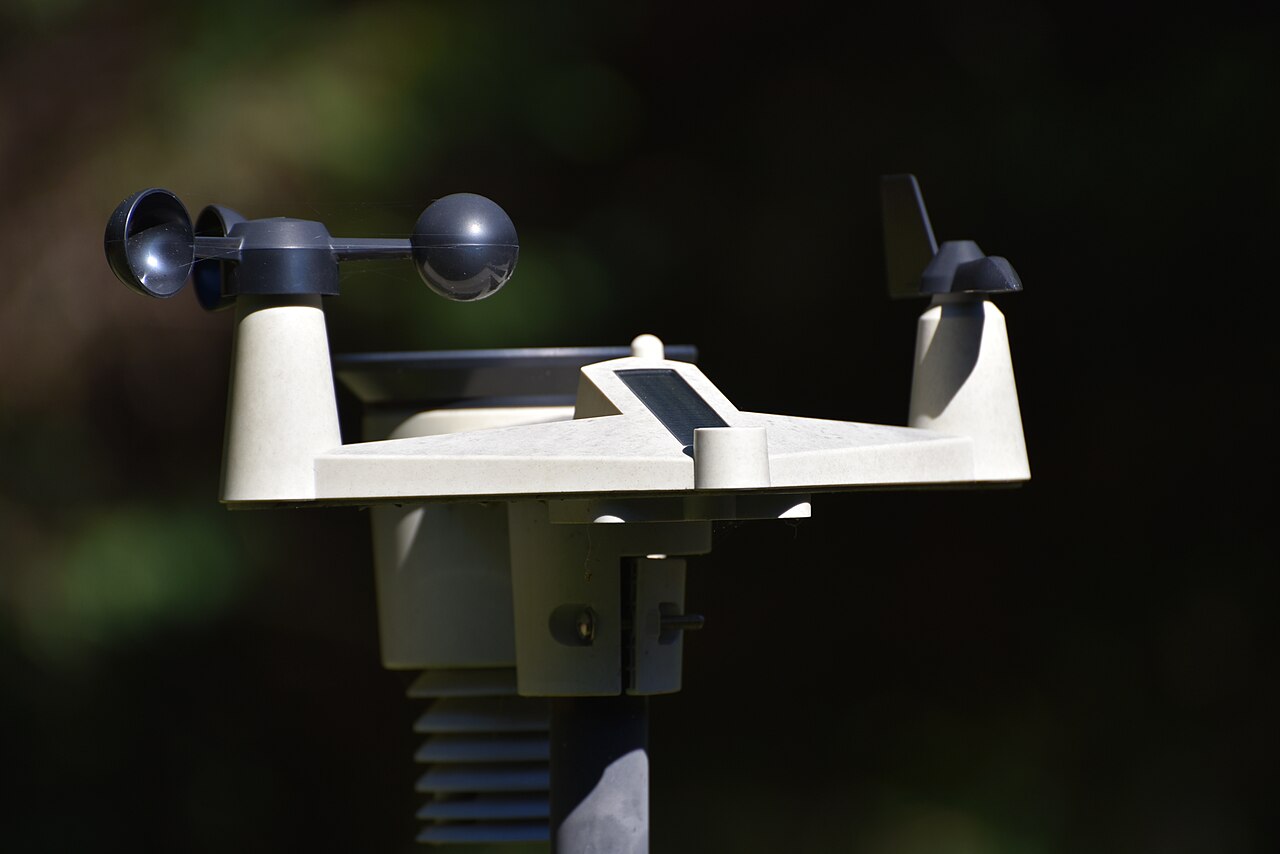
Featured image credit: Candeadly (Matthew Johnson), Wikimedia Commons, CC BY 4.0. Image resized for display. The pictured weather station is an illustrative example, not a reviewed model.
Research and Further Reading
This guide draws on publicly available manufacturer documentation and the National Weather Service’s observing guidance. It does not claim hands-on testing or independently certified sensor accuracy. Useful references include Ambient Weather’s model comparison and the Citizen Weather Observer Program for readers interested in contributing local observations.
Frequently Asked Questions
Does every weather station measure wind and rain?
No. Many products measure only temperature and humidity. Verify the sensors included with the exact kit.
Will a weather station work without Wi-Fi?
Some models continue showing local readings on their consoles without internet, while remote dashboards require a connection. Check the specific station’s manual.
How often should a rain gauge be cleaned?
Inspect it regularly for leaves, insects, and other debris, particularly after storms and during leaf fall; follow the manufacturer’s cleaning instructions.
As an Amazon Associate, Size Them Up earns from qualifying purchases.
Final Verdict
For most households, start with the Ambient Weather WS-2902C. It delivers a useful balance of sensor types and an easy-to-check color console. For more detailed screen information and compatible extra sensors, consider the Ambient Weather WS-2000; for a simpler connected approach centered on core measurements, compare the WS-1965.
For users who prefer a connected hub and data integrations over a conventional large screen, review the Ecowitt GW2001BU. Families interested in mixing observed weather with forecasts should review the La Crosse V42-PRO-INT. The correct sensor mounting location, exact included bundle and network fit are more important than an impressive-looking specification list.