Thermal Shipping Label Printers for Small Businesses: Choosing the Right 4×6 Model
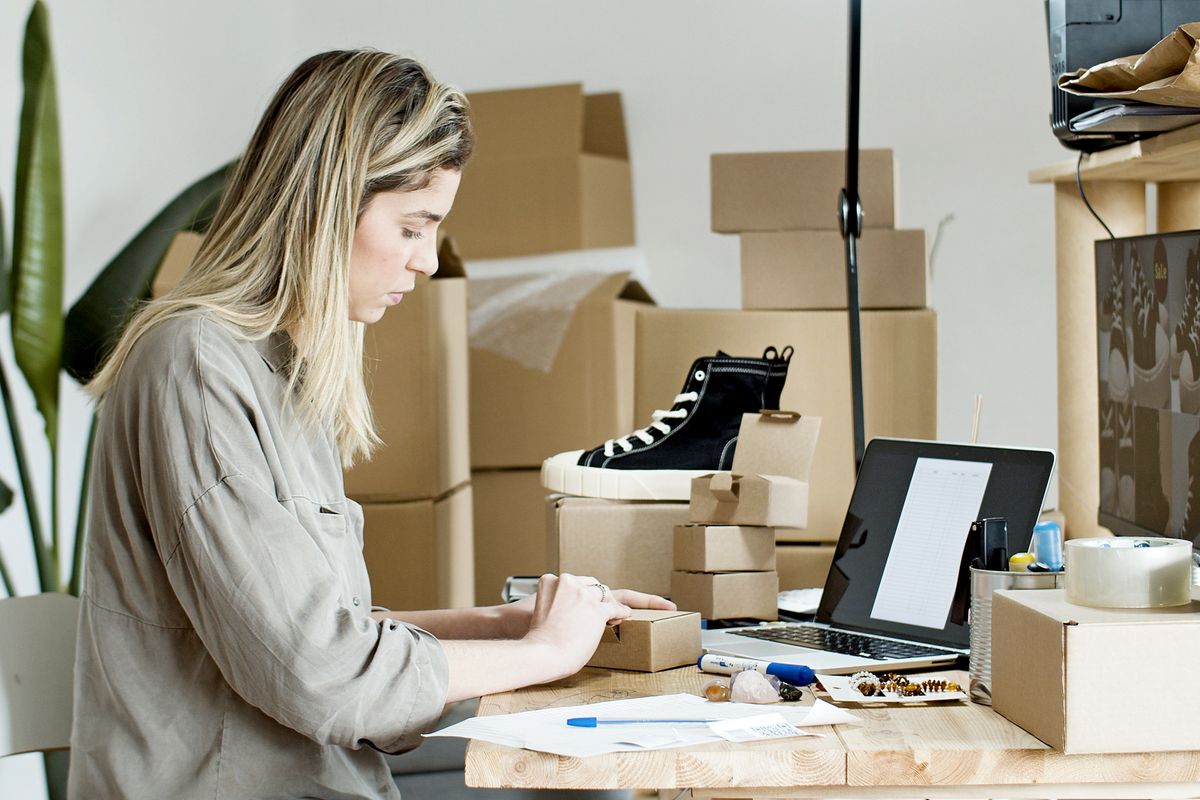
Printing a shipping label should be the easiest part of sending an order. Yet a small online shop can lose time to misaligned barcodes, app-only printing, labels that feed sideways, or a printer that cannot accept the file exported by its shipping platform. The right thermal shipping label printer is not necessarily the fastest or the most expensive. It is the one that handles your actual label dimensions, works with the device where you buy postage, and produces readable results consistently. This guide compares ten identifiable printer models and explains the choices that matter before you buy: direct thermal media, connectivity, resolution, label feeding, calibration, and practical troubleshooting. Before purchasing, check current product availability, label-media compatibility, and the manufacturer’s latest software requirements.
Quick picks: MUNBYN RW941BP for sharper labels · Rollo USB for one desktop · Rollo Wireless for shared printing · Brother for office networks.
How We Selected These Printers
These are identifiable models appearing in manufacturer or retailer materials. We compared the kinds of workflows each design aims to support, not hands-on test results. Compatibility and included accessories can vary by version and seller. Confirm the exact listing and software support before buying.
Thermal Shipping Label Printer Comparison
| Printer | Photo | Connection | Best for | Amazon |
|---|---|---|---|---|
| 1. MUNBYN RW941BP 300 DPI |  |
Bluetooth / USB | Shops that need fine-detail 300-dpi shipping labels | Check the latest price on Amazon |
| 2. JADENS 168BT with Built-in Label Bin |  |
Bluetooth / USB | Sellers who want a compact printer with built-in label storage | Check the latest price on Amazon |
| 3. Phomemo PM241BT |  |
Bluetooth / USB | Phone-first Etsy and Shopify sellers | Check the latest price on Amazon |
| 4. Phomemo PM64D |  |
Bluetooth / USB | Users who want a touchscreen and detachable holder | Check the latest price on Amazon |
| 5. MUNBYN RW403B |  |
Bluetooth / USB | Growing shops that print various label sizes | Check the latest price on Amazon |
| 6. Rollo USB Shipping Label Printer |  |
USB | A dedicated computer-based shipping desk | Check the latest price on Amazon |
| 7. Rollo X1040 Wireless |  |
Wi-Fi / USB | Networked packing stations and Apple AirPrint users | Check the latest price on Amazon |
| 8. NELKO PL70E-BT |  |
Bluetooth / USB | Budget-conscious shops using phones and laptops | Check the latest price on Amazon |
| 9. HP KE200 Thermal Label Printer |  |
USB | PC or Mac users seeking a basic 203-dpi printer | Check the latest price on Amazon |
| 10. Brother QL-1110NWB | 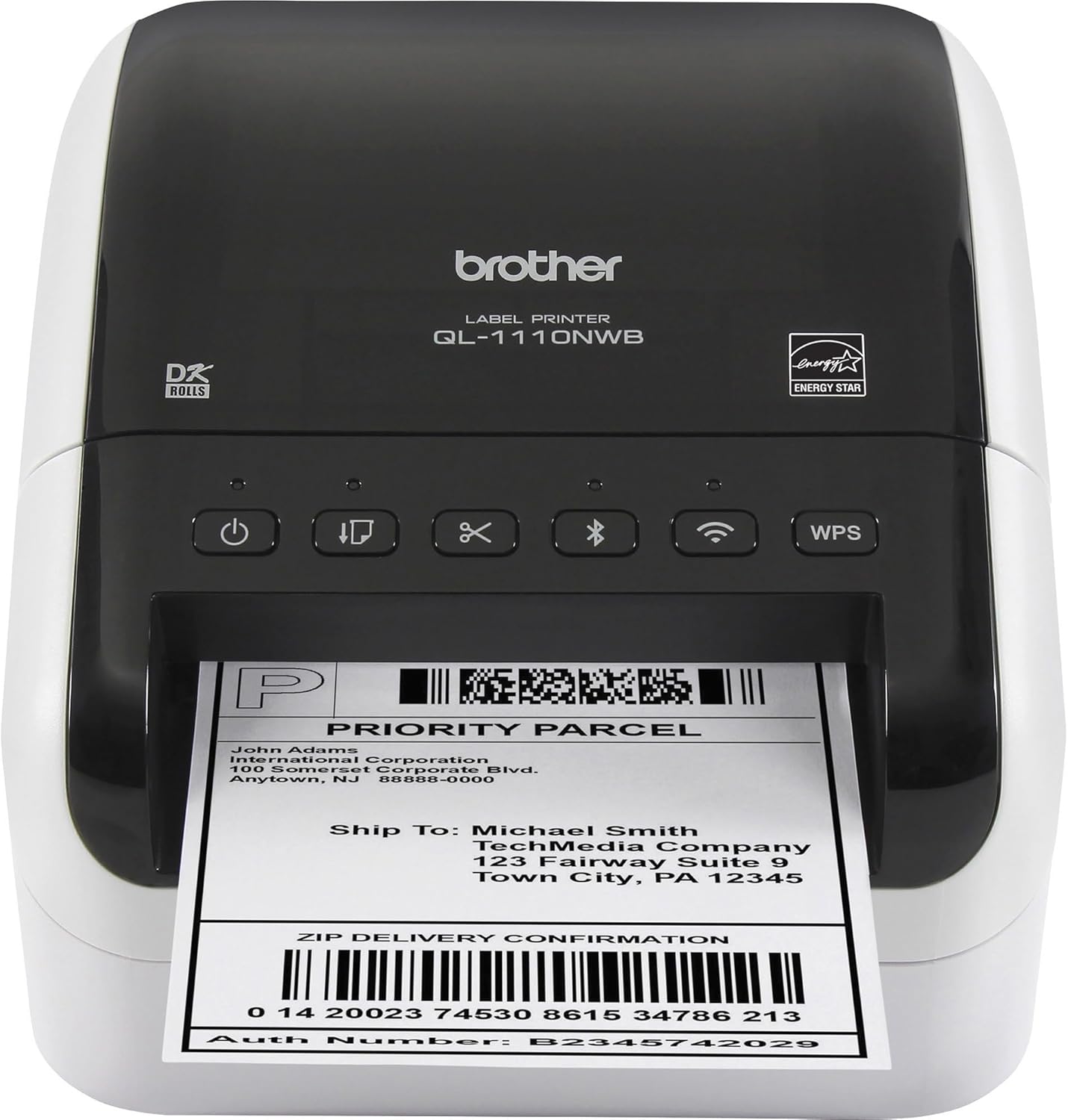 |
Wi-Fi / Ethernet / Bluetooth / USB | Offices sharing one label printer on a network | Check the latest price on Amazon |
Buying Tip: Export one actual 4×6 label from the shipping service you use most. Before choosing a printer, verify that its driver or mobile app can print that file at actual size, without fitting it to a letter-size page.
Printer Reviews
1. MUNBYN RW941BP 300 DPI Thermal Shipping Label Printer
Best for: Small businesses that want 300-dpi output alongside phone printing and a desktop fallback.
The MUNBYN RW941BP offers 300-dpi printing for sellers who need sharper small text and detailed product barcodes, while still using common four-by-six-inch shipping labels. Its direct-thermal printing method avoids ink and toner, but you should still check the label-stock requirements and give the media a straight path into the printer. Bluetooth printing suits compatible phones and tablets, while USB is an option for a dedicated workstation. Before buying, verify how your shipping software exports the original label and whether the MUNBYN app can reproduce that label without scaling it. Higher resolution helps preserve fine details, but it cannot rescue a barcode that was distorted before printing. This printer deserves comparison with 203-dpi models when you also print smaller product or inventory labels; if you print only ordinary large postage labels, the extra detail may matter less. Confirm the supported operating-system version and compare the total cost of the label supply.
Check the latest price on Amazon
2. JADENS 168BT with Built-in Label Bin
Best for: Small online sellers who prefer storing the label supply inside the printer instead of keeping a loose stack behind it.
The JADENS 168BT combines Bluetooth and USB printing with a built-in label compartment. That makes it a useful comparison for an Etsy or Shopify seller working at a small packing desk where a separate fanfold stack would clutter the space. According to its current listing, the printer comes with a starter supply of 50 labels, but check the exact bundle and replenishment format when ordering. The integrated bin may be convenient for occasional batches, although its capacity and loading method also determine how often you need to stop. Its wireless features are useful only if the companion app supports the original carrier label you receive, so test a saved four-by-six-inch PDF at actual size. For a permanent workstation, verify the USB driver for your operating system as well. Like other direct-thermal printers, it prints without ink or toner, but the labels must have the appropriate heat-sensitive surface. A printer that stores its own media may be a particularly practical choice when packing orders on a shared home-office table.
Check the latest price on Amazon
3. Phomemo PM241BT
Best for: Phone-first Etsy and Shopify sellers.
Confirm the companion app accepts the exact PDF or image files your marketplace exports before relying on a mobile-only workflow. Phomemo’s PM241BT is advertised for Bluetooth mobile printing, with computer connection options depending on the version and workflow. For sellers creating postage on a phone, the important steps are opening the shipping label, selecting the correct print size and sending it through the required app. Try those steps with the shipping service you actually use. For desktop printing, check the manufacturer-supported connection and driver instead of assuming that phone pairing carries over. Also compare whether labels can be loaded and calibrated without wasting multiple sheets. The right app workflow matters more than a long compatibility list. A phone-first workflow makes sense when you create postage away from a fixed workstation. The PM241BT deserves attention for that use case, but app compatibility is the deciding factor. Save a sample 4×6 shipping label on your phone and check the steps needed to import, preview and print it. Consider what happens if a shipping service changes its PDF format or if you switch phones. If you also print from a laptop, verify that separately. Good physical print quality cannot rescue a label that the app resizes or clips before sending it.
Check the latest price on Amazon
4. Phomemo PM64D
Best for: Users who want a touchscreen and detachable holder.
A touchscreen may simplify local settings, but verify whether it changes how labels are imported and scaled. The PM64D should be evaluated for its on-device controls rather than treated as interchangeable with the simpler PM241BT. When shipping labels are misaligned, being able to identify paper and calibration settings clearly can save time. Still, the shipping software must supply a properly sized label file, and a display does not automatically solve format problems. Check which connection modes the exact PM64D supports and how labels are imported. A larger control surface may be helpful for someone who changes stock frequently, while a compact basic printer may be easier for a small fixed workstation. Confirm the footprint with media installed. On-device controls can be useful when you routinely change media or want to diagnose a feed problem without hunting through computer menus. Evaluate the PM64D by how clearly it exposes those settings, not by the presence of a screen alone. A touchscreen does not guarantee that a shipping platform’s label will print without a driver or app. Check the exact model’s supported file formats and print connections, then compare how much space the unit and its label supply occupy. For occasional shipping, the extra controls may be less important than simple repeatable setup.
Check the latest price on Amazon
5. MUNBYN RW403B
Best for: Growing shops that print various label sizes.
Measure the room required behind the printer for fanfold stock or an external roll; printer body dimensions alone can mislead. MUNBYN’s RW403B is an option for sellers who want to investigate a more mobile-friendly packing station. Before buying, identify which app handles labels and whether the printer supports the desktop systems in your shop. Think about the position of the printer relative to a label stack: fanfold stock needs a straight feed path, while a roll holder adds a separate object to the desk. A tidy station is useful when packing orders repeatedly, but it should not come at the cost of awkward label loading. Compare the actual steps for calibration and print preview after changing the paper supply. The RW403B is worth considering for a small packing desk where cable management matters. Wireless convenience is real only when the supported app and your device cooperate, so check the complete path from purchased postage to printed label. Measure rear clearance for fanfold paper or a holder; a compact printer can still require a large working footprint. Review how the printer calibrates new stock and whether the power and connection cables can remain in place while loading labels. If you switch between multiple devices, test that process rather than assuming all wireless options behave alike.
Check the latest price on Amazon
6. Rollo USB Shipping Label Printer
Best for: A dedicated computer-based shipping desk.
USB can be practical when every label originates from one computer; prioritize stable drivers and repeatable paper settings. The USB Rollo is designed around a computer-connected shipping station, which suits sellers who create all their postage from a desktop browser. With no Bluetooth pairing to manage, attention shifts to the driver, correct 4×6 page size and reliable label feeding. Keep the printer close enough to the computer for a stable cable connection and leave clear space for stock behind the machine. If more than one person uses the station, write down the print preset and test procedure. Buyers who need direct mobile printing should compare the wireless Rollo instead of expecting the USB model to behave like a phone accessory. A USB-only printer is a sensible choice for a permanent shipping station. The Rollo USB design avoids wireless pairing and makes it easier to standardize printing from one computer. That simplicity is useful for batch work, but you still need a compatible driver and a correctly sized shipping-label file. Compare the available space for labels behind the machine and decide whether you prefer fanfold stock or an external roll. Set up one 4×6 preset and test a real barcode before printing a day’s orders. It is a weaker fit for someone who expects direct phone printing without a computer.
Check the latest price on Amazon
7. Rollo X1040 Wireless
Best for: Networked packing stations and Apple AirPrint users.
Check whether network printing is supported on your operating system and whether the printer must be on the same local network. The Rollo X1040 is intended for a wireless printing workflow, which can be attractive when the packing table is not next to a computer. Wireless access can reduce cable clutter, but it creates a dependency on the local network and supported print method. Verify that each phone or computer in the business can reach the printer and send an actual carrier label at full size. If multiple people print, agree on one paper size and loading orientation. A shared printer can become frustrating when a device silently uses a different template. Consider whether your shop really benefits from wireless access before choosing it over USB. A wireless Rollo makes more sense when your shipping station is shared or when a USB cable would be awkward. Before choosing it, verify which devices can print on your local network and what setup is needed after a router or password change. Network printing is only helpful if the queue is predictable: label dimensions and source files should remain consistent across users. For a home business with one computer, this extra flexibility may not justify a more involved setup. For a team, document the approved print preset and label-loading procedure so mistakes do not multiply.
Check the latest price on Amazon
8. NELKO PL70E-BT
Best for: Budget-conscious shops using phones and laptops.
The NELKO PL70E-BT is a budget-focused option for small shops looking for a standard 4×6 shipping workflow with both mobile and desktop printing. It supports direct thermal labels from approximately 1.54 to 4.1 inches wide and offers Bluetooth phone printing through the NELKO app, with computer connectivity for a fixed packing desk. Its 203-dpi output is aimed at shipping addresses and barcodes rather than photographs. The real test is how easily the app prints the file from your marketplace at its original dimensions. A phone connection adds flexibility, but it also creates an extra setup step; keep USB as a fallback when possible. Allow space for the paper supply behind the printer and calibrate after changing label stock. This is a sensible option for a home seller who values affordable equipment more than network sharing.
Check the latest price on Amazon
9. HP KE200 Thermal Label Printer
Best for: PC or Mac users seeking a basic 203-dpi printer.
The HP KE200 is a recognizable 203-dpi USB thermal label printer for shipping desks where postage is created on a computer. HP’s KE200 series is designed for direct thermal media up to four inches wide, so it can cover common 4×6 parcel labels without ink or toner. Its conventional computer-first connection is preferable to a mobile-app-only workflow when a Windows or Mac machine already handles the shipping orders. The KE200 should be compared on its documented printing method, driver requirements and supported label feed rather than assumptions about storage trays. Check the current driver for your operating system, the paper orientation and the footprint of a label holder or fanfold stack. Print one real carrier PDF with scaling disabled before batching orders. If you routinely create labels from a phone, a Bluetooth model is likely more convenient than a basic USB-only printer.
Check the latest price on Amazon
10. Brother QL-1110NWB
Best for: Offices sharing one label printer on a network.
Check exact interfaces and the model suffix: similar Brother label printers do not all accept 4×6 shipping media. Brother’s QL-1110NWB is aimed at a more office-oriented labeling environment, with multiple connectivity options worth checking for shared use. Its consumable system is an especially important distinction from generic fanfold-label printers. Confirm the compatible Brother rolls and the exact printable area before purchasing labels in bulk. If your team creates shipping labels from different computers, agree on a standard template and test each device. For a single seller, the extra configuration and media considerations may not be worthwhile. Check the model suffix carefully, because closely named Brother printers can differ in connection support and available stock. A more office-oriented Brother printer can appeal to businesses that want multiple connection paths and a structured labeling workflow. The model suffix matters: compare the QL-1110NWB against related variants rather than assuming they all support identical connections or consumables. Check the compatible label rolls and the actual printable area before relying on a nominal 4-inch class width. For a team, a standardized template and network setup can reduce repeated manual adjustments. For a single occasional seller, consumable requirements and configuration effort may outweigh the flexibility.
Check the latest price on Amazon
How to Choose a Thermal Shipping Label Printer
Direct thermal versus thermal transfer
Most compact 4×6 shipping printers use direct thermal printing: the heat-sensitive label darkens where the print head touches it. There is no ink or toner cartridge. Thermal-transfer printers instead use a ribbon and may suit applications requiring different label durability. Do not buy ordinary inkjet label sheets for a direct thermal unit.
Label width, orientation, and resolution
Four-by-six-inch shipping labels are common, but not every label printer supports a full four-inch print width. Compare maximum printable width rather than relying on the outside dimensions of the media. At 203 dots per inch, many shipping barcodes are readable when the file is correctly scaled; higher resolution can help with smaller text and dense markings, but it cannot fix a low-quality source file.
Bluetooth, USB, and Wi-Fi are not interchangeable
A printer may use Bluetooth only through a manufacturer’s phone app while requiring USB on a laptop. Wi-Fi models may print through a network driver rather than directly from a marketplace app. Check the exact combination of phone, computer, operating system, and shipping service you plan to use.
Rolls versus fanfold stacks
Fanfold labels sit behind the printer and need a clear feed path. Roll stock can be more compact with an internal compartment, but an external roll holder adds desk space. Use the media size and core diameter specified for the exact model.
Setup and Troubleshooting
Labels print tiny or sideways
Check the shipping platform’s export size, then set the driver paper size to 4×6 inches. Turn off automatic “fit to page” scaling and print one test label at 100% size.
The printer feeds blank labels
Direct thermal labels have a printable side. Verify orientation using the manufacturer’s loading diagram, then run the calibration procedure with the correct label stock. If the printer still feeds blank media, inspect the label type and printer settings.
Barcodes look faint or broken
Start with a high-quality label export and approved thermal media. If output remains inconsistent, follow the manufacturer’s instructions for cleaning the print head and platen; allow components to cool before touching them.
Bluetooth connects but nothing prints
Confirm whether the model requires a vendor app and whether the app has permission to access the document. A successful Bluetooth pairing alone does not prove the operating system can send a print job directly.
Frequently Asked Questions
Do thermal shipping printers need ink?
Direct thermal models do not. They use heat-sensitive labels, so recurring costs are mostly label stock and occasional maintenance.
Can I print Etsy, Shopify, or eBay shipping labels?
Usually, if you can export a compatible 4×6 label file and the printer supports your device. Check the individual platform workflow and printer software rather than assuming a marketplace logo guarantees direct integration.
Are 203 DPI printers sufficient?
For many conventional shipping labels, yes, provided the barcode is exported and printed at the correct scale. Check carrier requirements and use a test scan before shipping large batches.
Will any 4×6 thermal label work?
No. Width, media sensing, roll dimensions, and whether the labels are direct thermal all matter. Follow the printer manufacturer’s media specifications.
Final Verdict
For most solo sellers using a computer, start with the Rollo USB. For a phone-and-laptop workflow, compare the MUNBYN RW941BP 300 DPI and NELKO PL70E-BT. If several people need the same printer, investigate the Rollo Wireless and Brother QL-1110NWB. Check your operating system, the label software and compatible media before buying.
Ready to compare current offers? View the Rollo USB, MUNBYN RW941BP 300 DPI, or Brother QL-1110NWB on Amazon.
Sources and Further Reading
MUNBYN RW941BP 300 DPI specifications · Phomemo PM241BT specifications · NELKO PL70E details · HP KE200 series specifications.
For related equipment, our home printer and scanner guide explains document and photo workflows. If you are setting up a packing desk in a shared home office, see our office chair guide for workstation comfort.
As an Amazon Associate, Size Them Up earns from qualifying purchases.
Featured photograph: Kampus Production / Pexels, used under the Pexels License.